
Learning any language fast – 15 minutes a day – with no books
Learning a new language for some persons may seem hard, complicated or even impossible.
For my point of view is quite easy, at least to learn the basics, in order to be able to communicate good enough to buy a piece of bread and understand if someone is telling you “I love you” or insulting you with a romantic tone.
The best technique I’ve developed in my trips is to start to talk from the very first day, with some hi-tech support of an android phone, just doing three things, daily. Here is my minimalistic digital self-learning system:
–
1) Memrise, Duolingo & Mondly– one lesson a day – 10 minutes
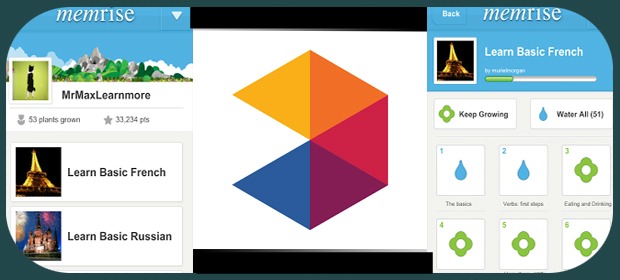
Create an account from laptop on memrise.com and add the languages you wanna learn;
Install the memrise app on Android ;
Download the courses you wanna learn offline by going in the settings of the selected language on android.
In parallel with memrise you can use Duolingo and Mondly for the pronunciation and a more structured learning pattern.
–
2) Audiopod – listen whenever you are on the go (walking, cycling, doing sports)
There are various audio-lessons made to learn with audio, one of the most complete is innovativelanguages.com

With any podcast app—for Android or other phones, like Podcast Addict—you can download audio lessons just by searching podcasts with keywords: “learn name-of-the-language“.
Remember to set each audio lesson to repeat all the time, you need to listen to the same lesson at least ten times on different days to get it in your brain.
–
3) Speaking & chatting at any occasions – don’t be shy, try to speak all the time
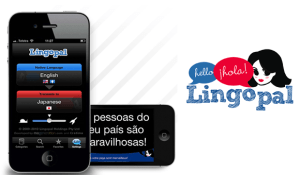
You can use an Android app like Lingopal with set phrases which allow you to have short conversations for different occasions in real life. In addition, you could chat online in that language. In case this is too difficult, you could start for the first few minutes and after switch to English.
Just go ahead and communicate in the local language!
–
4) Wanna be pro? Improve your pronunciation with Forvo
There is a website called Forvo, it’s a crowd-powered database with the pronunciation of millions of words done by natives.
You can use it to learn the perfect pronunciation and you can even teach, by recording the pronunciation of a word in a language you know as master.
–
EXTRA TIPS
Watch movies that you already know in the language you wanna learn, with subtitles.
–
–
Other techniques are also on wikihow: wikihow.com/Learn-Any-Language

